
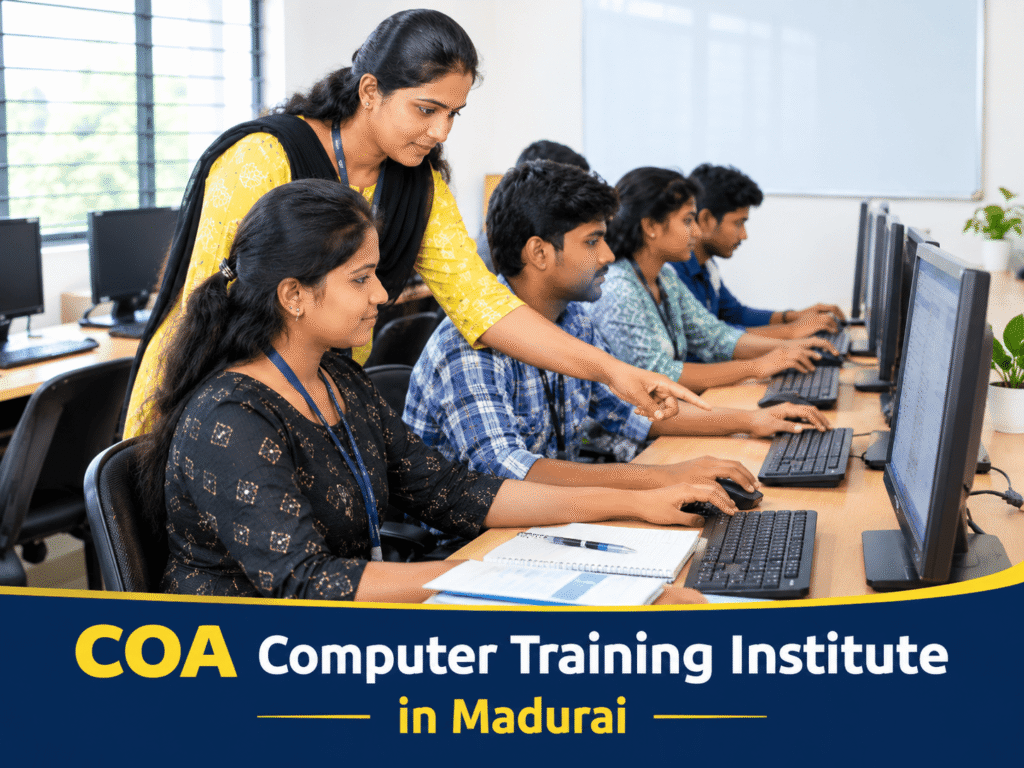
COA Computer Training Institute in Madurai
Introduction Computer knowledge has become an important part of education, office administration, and many entry-level jobs. Whether you are a college student, a job seeker, or someone looking to improve your computer skills, learning the fundamentals can help you feel more confident when working with digital tools. If you are searching for a COA Computer Training Institute in Madurai, understanding the course content, practical learning opportunities, and training facilities can help you make an informed decision. Before joining a class, it is worth knowing what COA covers, which skills you may develop, and how to identify a suitable training centre. COA is commonly used to refer to Computer Office Automation in computer-training contexts, although the exact expansion and syllabus can vary between institutes. Such courses generally introduce learners to essential computer operations, office applications, document preparation, spreadsheets, presentations, and internet usage. Madurai students have several factors to consider when choosing a computer course, including class timings, travel distance, trainer support, course fees, and opportunities for hands-on practice. In this guide, you will learn about COA course subjects, the benefits of practical training, how to select a computer institute, potential career applications, and the questions to ask before enrolling. 1. What Is a COA Computer Course? A COA computer course generally focuses on developing the computer skills needed for everyday office work and basic professional tasks. It is often suitable for beginners who want to understand how computers work and learn to use common productivity software. The course structure depends on the institute, so students should request a syllabus before enrolling. Common Topics Covered in COA Training A COA or Computer Office Automation programme may include the following subjects: Not every institute includes all these subjects. Some programmes may also introduce basic accounting software, data entry, or additional office applications. Who Can Join a COA Course? COA training may be useful for: Students should check the institute’s minimum educational requirements, age criteria, course duration, and certification details before registering. Quick answer: A COA computer course teaches foundational computer operations and office application skills. It can help beginners prepare for computer-based tasks in education, administration, and business environments. 2. Why Choose a COA Computer Training Institute in Madurai? Choosing a training institute close to home, college, or workplace can make it easier to attend classes regularly. For students in Madurai, the right training centre should offer a suitable combination of practical instruction, accessible timings, and a clear learning plan. However, location alone should not determine your choice. The quality of the teaching and the opportunity to practise what you learn are equally important. Learn Through Practical Computer Sessions Computer skills improve when students use the software themselves rather than simply watching a trainer demonstrate it. For example, a student learning word processing should practise creating a resume, formatting a letter, adjusting page margins, and saving a document as a PDF. Similarly, spreadsheet practice may involve preparing a monthly expense sheet, using formulas, sorting information, and creating a simple chart. These activities help learners connect classroom explanations with tasks they may encounter in real situations. Get Guidance When You Need It Beginners may find certain tasks confusing at first. They might struggle with file locations, keyboard shortcuts, spreadsheet formulas, or document formatting. A supportive trainer can explain the steps, identify mistakes, and provide additional practice until the learner becomes more comfortable. Before joining, ask whether students can clarify doubts during class and receive help when they have difficulty completing practical exercises. Select Class Timings That Suit Your Schedule Madurai students may need different schedules depending on their college hours, employment, or family responsibilities. When comparing institutes, check: A convenient timetable can help you maintain consistent attendance and complete the course without unnecessary interruptions. Compare Fees and Course Inclusions Course fees are only one part of the decision. A lower fee may not include enough practical sessions, while a higher fee does not automatically guarantee better instruction. Ask for a clear breakdown covering tuition, study materials, software access, examination charges, and certificate fees, where applicable. Also confirm whether you will receive sufficient time on a computer during every practical session. 3. How to Find the Best COA Computer Classes Near KoodalNagar Madurai If you live near Koodal Nagar, comparing nearby training centres can save travel time and make regular attendance more convenient. The phrase Best COA Computer Classes Near KoodalNagar Madurai reflects a local search for suitable training options. Instead of choosing an institute based only on its advertisements, evaluate the features that directly affect your learning experience. Check the Course Syllabus Before Enrolling Ask for the complete syllabus and confirm which applications are included. For example, if your primary goal is to prepare office documents and spreadsheets, make sure the course includes hands-on practice in word processing and spreadsheet software. If you need additional skills, such as accounting software or advanced Excel, ask whether these subjects are included or require a separate course. A written syllabus helps you understand exactly what you will learn. Evaluate the Training Environment A good beginner-friendly learning environment should make it easy to follow demonstrations and practise independently. Look for: You can ask whether the institute provides a demonstration class or an opportunity to understand the teaching method before paying the full course fee. Ask About Batch Size and Individual Attention Large batches are not necessarily ineffective, but beginners may benefit from more opportunities to ask questions and receive individual guidance. Find out how many students share the available computers and whether the trainer can support learners who progress at different speeds. If you have never used office software before, individual practice time may be particularly important. Read Reviews Carefully Online reviews can provide useful information about teaching quality, classroom facilities, course organisation, and student support. However, do not rely on a single review or an overall rating alone. Look for specific, consistent feedback from students who describe their learning experience. You can also ask the institute for details about its trainer qualifications, course completion process, and