Introduction
Accounting and finance students work with numbers every day. Knowing accounting concepts is only one part of preparing for a professional career. Employers expect you to organize financial information, calculate figures accurately, prepare reports, and explain what the numbers mean. Microsoft Excel brings these skills together.
Whether you are studying B.Com, B.Com Accounting and Finance, BBA, M.Com, or another commerce-related course, learning Excel makes your academic work more practical. It prepares you for tasks you will do in offices, banks, and finance departments.
An excel course for accounting and finance students in Madurai helps you develop these skills through spreadsheet exercises, financial calculations, data management, and reporting. Not every course covers the same topics. Some focus on basic data entry, while others introduce advanced formulas, PivotTables, financial functions, and dashboards.
This guide explains which Excel skills matter most for accounting and finance students, how to use them in real situations, what to look for when choosing a training centre, and how to build practical projects that show your abilities.
Why is Excel important for accounting and finance students?
Microsoft Excel is a spreadsheet application used to organize information, perform calculations, analyse data, and prepare reports. It is useful in accounting because financial information often needs checking, summarizing, and presenting in a clear format.
An accountant uses Excel to compare monthly expenses, prepare a cash flow summary, or identify differences between expected and actual spending.
Common uses of Excel in accounting
Excel supports many routine accounting activities:
- Recording daily transactions and expenses.
- Preparing income and expenditure statements.
- Maintaining accounts receivable and accounts payable lists.
- Comparing budgets with actual spending.
- Calculating totals, percentages, and balances.
- Organizing invoice and payment records.
- Preparing monthly and quarterly financial summaries.
- Checking data for missing entries or duplicate records.
Consider a small shop recording its sales every day. Instead of calculating monthly sales manually, you can use Microsoft Excel functions and formulas to add daily figures, compare sales across months, and find the top products.
This approach saves time and makes calculations easier to review. The quality of the result still depends on accurate source data and correct formulas.
How finance students can use Excel
Finance students apply Excel to budgeting, investment calculations, loan comparisons, and financial planning exercises.
You can create a monthly budget containing income, rent, travel expenses, food costs, and savings. Formulas calculate total expenditure and show how much money remains.
Students studying corporate finance use spreadsheets to compare financial ratios, analyse business performance, and run basic forecasting exercises. For broader insights on analytical methodologies, review the CFA Institute financial reporting resources to see industry standards.
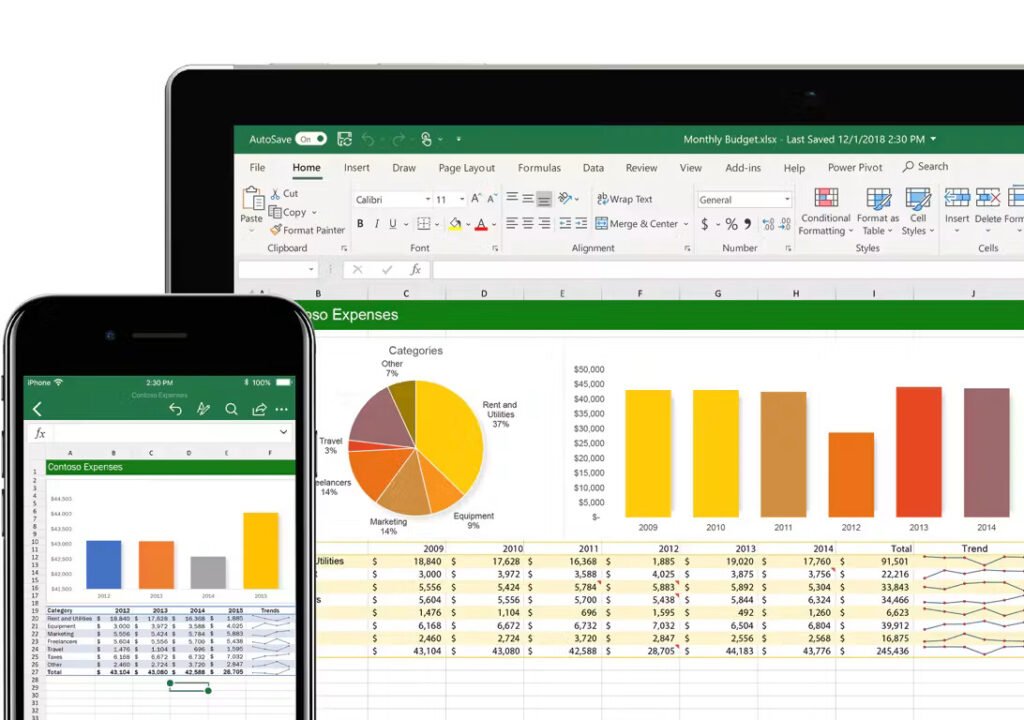
Essential Excel skills every accounting student should learn
A useful Excel course moves from basic spreadsheet operations to financial calculations and reporting. You need to understand how a function works and when to use it.
A. Spreadsheet basics and data formatting
Begin by learning how to create workbooks, enter data, format cells, and organize worksheets.
Important skills include:
- Entering dates, amounts, and transaction descriptions.
- Formatting numbers as currency or percentages.
- Sorting and filtering financial records.
- Freezing header rows in large worksheets.
- Creating structured Excel tables.
- Setting print areas for financial reports.
- Using conditional formatting to highlight important values.
Create a monthly expense register with columns for date, voucher number, expense category, description, and amount. Format the amount column consistently and calculate total expenses at the bottom.
Consistent formatting makes a spreadsheet readable and reduces confusion when reviewing financial records.
B. Excel formulas and functions
Formulas are among the most important skills for students working in accounting or finance.
The following functions are useful:
| Excel function | Accounting or finance application |
| SUM | Calculate total sales, expenses, or payments |
| AVERAGE | Find average monthly expenditure |
| IF | Check whether a condition is satisfied |
| SUMIF | Total expenses for a selected category |
| COUNTIF | Count transactions meeting a condition |
| XLOOKUP | Retrieve matching information from another table |
| IFERROR | Handle specified formula errors |
| ROUND | Round calculated amounts to a chosen number of digits |
Suppose cell B2 contains total monthly expenses. To check whether expenses exceed a budget of ₹20,000, use:
=IF(B2>20000,”Over Budget”,”Within Budget”)
Excel displays the appropriate result based on the value in B2.
Understand relative and absolute cell references. Absolute references, like $B$2, are useful when a formula must continue referring to the same cell while you copy it to other rows.
C. Financial calculations
A finance-focused course includes exercises related to interest, repayments, cash flow, and investment analysis.
Depending on the syllabus, you may learn functions such as:
- PMT for calculating periodic loan payments under specified assumptions.
- PV for estimating present value.
- FV for estimating future value.
- NPV for net present value calculations using a series of cash flows.
- IRR for estimating the internal rate of return of periodic cash flows.
These functions are useful in financial modelling, but they require careful interpretation. You must understand assumptions like interest rates, payment periods, cash flow timing, and whether payments occur at the beginning or end of a period.
Excel performs calculations, but it cannot determine whether the financial assumptions you enter are reasonable.
D. Data cleaning and error checking
Financial spreadsheets contain duplicate transactions, incorrect dates, missing values, or inconsistent account names. Learning to identify these problems is essential.
A good training programme introduces tools like Remove Duplicates, Find and Replace, Data Validation, Text to Columns, and sorting and filtering.
Before removing duplicates or changing financial records, preserve a backup and verify the original data. Two transactions with the same amount are not necessarily duplicates because their dates, references, and supporting documents may differ.
Excel projects that connect classroom learning with real accounting work
The best way to understand Excel is to practise with realistic examples. You can create sample workbooks using fictional data instead of confidential information from a company or client.
Project 1: Monthly income and expense statement
Create a spreadsheet containing income sources, expense categories, transaction dates, and amounts.
Include formulas to calculate:
- Total income.
- Total expenses.
- Net balance.
- Spending by category.
- Percentage of income spent.
If monthly income is ₹30,000 and total expenses are ₹22,000, the remaining balance is ₹8,000. This project teaches you how to structure financial data and summarize results.
Project 2: Accounts receivable tracker
Businesses monitor invoices and outstanding customer payments. You can build a tracker containing invoice numbers, customer names, invoice dates, due dates, amounts, and payment status.
Useful Excel features include date formatting, filters, conditional formatting, and the IF function.
The workbook highlights invoices past their due dates when payment status and dates are entered correctly.
Project 3: Budget versus actual report
A budget report compares planned spending with actual expenditure.
| Expense category | Budget | Actual | Difference |
| Rent | ₹10,000 | ₹10,000 | ₹0 |
| Travel | ₹3,000 | ₹3,500 | -₹500 |
| Office supplies | ₹2,000 | ₹1,600 | ₹400 |
| Utilities | ₹2,500 | ₹2,300 | ₹200 |
A positive difference means spending was below budget, while a negative difference means actual spending exceeded budget. The report should state this convention because other financial reports use different definitions.
This project helps you practise formulas, conditional formatting, and financial interpretation.
Project 4: Financial summary dashboard
Once you understand formulas and tables, create a simple dashboard using charts and summary figures.
A dashboard shows monthly revenue, total expenses, outstanding invoices, and changes in expenditure.
You can use PivotTables to summarize larger datasets and charts to communicate results.
The aim is not to make the dashboard visually complicated. It should make important information easy to understand at a glance.
Portfolio tip: Save each completed project with a clear file name and write a short explanation of the problem, the Excel functions used, and the conclusions drawn. These examples help demonstrate practical skills during interviews.
How to choose an Excel course for accounting and finance students in Madurai
When comparing Excel training options in Madurai, look beyond advertisements and course titles. The most suitable programme matches your current knowledge and career goals.
Check the syllabus carefully
Before enrolling, ask whether the course includes:
- Basic spreadsheet operations and formatting.
- Essential formulas and lookup functions.
- Financial calculations and reporting.
- Data cleaning and error checking.
- PivotTables and charts.
- Practical accounting and finance exercises.
- Advanced Excel topics, if required for your goals.
If you are a beginner, make sure the course starts with fundamentals. If you know basic Excel, look for more practice in financial modelling, advanced formulas, and reporting.
Compare practical training opportunities
Excel is a hands-on skill. Watching an instructor demonstrate a formula is different from applying it independently.
Ask whether training includes individual computer practice, assignments, sample datasets, and feedback on completed work.
A useful question to ask is: “Will I create financial reports and accounting spreadsheets myself during the course?” The answer helps you understand how much practical work the programme offers.
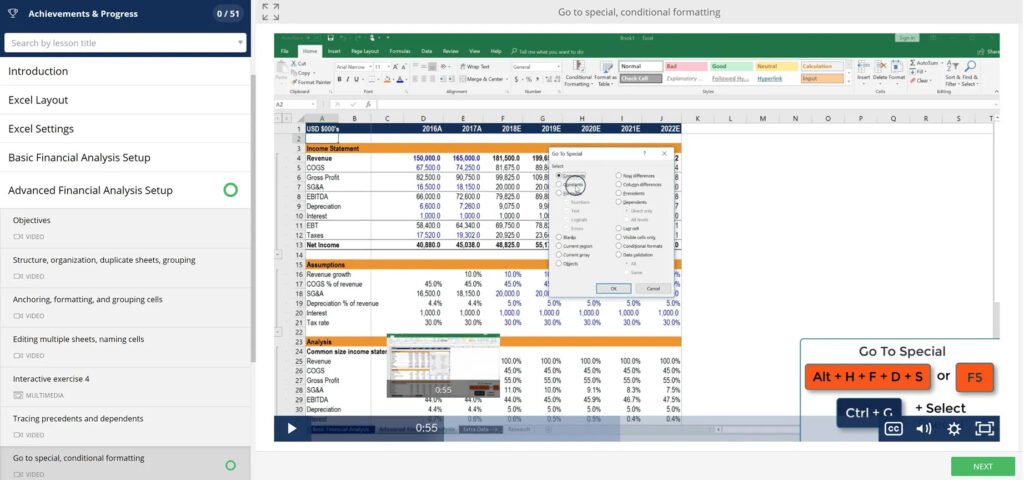
Evaluate the trainer and learning environment
A trainer should explain why a formula is used, identify common mistakes, and demonstrate how to verify results.
Attend a trial class or request a demonstration if possible. Check whether the learning environment gives you enough time to practise instead of relying mainly on lectures.
Compare fees, duration, and certificate details
Course fees and duration vary according to the syllabus, training format, and level of instruction. No single fee or duration applies to every Excel course in Madurai.
Before paying, confirm:
- Total course hours.
- Topics included in the fee.
- Availability of practice sessions.
- Assignment and assessment methods.
- Certificate eligibility and issuing organization.
- Additional charges for materials or examinations.
A certificate documents training, but it does not automatically prove you can prepare accurate financial reports. Practical ability matters too.
Finding a suitable coaching centre
Students searching for a top level coaching centre in Madurai should compare centres based on teaching quality, syllabus coverage, practical facilities, trainer experience, and student feedback.
Do not select an institute based on a promotional claim. Check current reviews, confirm the address and batch schedule, and ask for the course outline before enrolling.
Verify whether the course teaches business-oriented Excel rather than basic computer operations.
Career opportunities after learning Excel
Excel is a supporting skill across several accounting, finance, and administrative roles. The value of the skill depends on employer requirements and your wider knowledge.
Accounting and finance-related roles
Excel skills support applications for positions like:
- Accounts assistant.
- Junior accountant.
- Accounts payable or receivable assistant.
- Finance operations assistant.
- Billing executive.
- MIS executive.
- Administrative assistant.
- Junior reporting analyst.
Responsibilities differ between organizations. Some accounting roles require knowledge of accounting principles and software like Tally Solutions portal, while reporting and analytical positions require data visualization suites like Microsoft Power BI overview.
How Excel supports career preparation
You can use Excel to practise tasks like preparing summaries, reconciling records, organizing transactions, and checking calculations.
During an interview, you may be asked to calculate totals, apply a lookup function, filter a dataset, or explain a spreadsheet. Completing these tasks independently demonstrates practical knowledge.
Excel alone does not guarantee employment. Employers assess accounting fundamentals, communication, accuracy, problem-solving ability, and relevant experience.
A simple learning roadmap
| Learning stage | Main focus | Practice task |
| Stage 1 | Formatting and data entry | Expense register |
| Stage 2 | Formulas and functions | Monthly budget |
| Stage 3 | Data cleaning | Transaction list |
| Stage 4 | Lookups and PivotTables | Sales summary |
| Stage 5 | Financial functions | Loan repayment example |
| Stage 6 | Charts and reporting | Financial dashboard |
Work through each stage at your own pace. Repeat exercises until you can complete them without following step-by-step instructions.
Common mistakes to avoid when learning Excel
You can make faster progress by identifying mistakes early.
Memorizing formulas without understanding them
Memorizing syntax is not enough. Learn what each function calculates, which cells it uses, and how to interpret the result.
Ignoring the accuracy of source data
A formula can return a mathematically correct answer from incorrect data. Check dates, amounts, missing values, and duplicate records before preparing a report.
Using complicated formulas unnecessarily
A simple formula is easier to audit and maintain than a complicated one. Use advanced functions when they genuinely improve the task.
Relying entirely on a certificate
Completing a course is useful, but independent practice develops confidence. Create your own spreadsheets and test them using different sample values.
Failing to protect financial information
Never upload confidential customer records, bank details, or company accounts to a public portfolio. Use fictional or properly anonymized data for practice projects.
Assuming every Excel report is automatically correct
Check totals against original records, review formulas, and verify whether results make sense. Financial reporting requires human judgment alongside spreadsheet skills.
Frequently asked questions
1. Which Excel course is best for accounting and finance students in Madurai?
Choose a course that covers spreadsheet basics, formulas, financial functions, data cleaning, PivotTables, and financial reporting. Practical assignments help you apply Excel to realistic accounting and finance tasks.
2. Can commerce students learn Excel without prior experience?
Yes. You can begin with basic spreadsheet operations and gradually learn formulas, financial calculations, and reporting. Regular practice is more important than having advanced computer knowledge before starting.
3. Is Excel useful for accounting jobs?
Yes. Excel is used to organize financial records, calculate totals, prepare summaries, and analyse business data. Some positions also require accounting knowledge and software like Tally depending on the employer.
4. How long does it take to learn Excel for accounting?
The time required depends on your starting level, practice schedule, and course syllabus. Basic spreadsheet skills develop quickly, while advanced formulas, financial modelling, and dashboards require more practice.
5. How should I select a top level coaching centre in Madurai?
Compare the syllabus, practical assignments, trainer experience, course duration, fees, facilities, and recent student feedback. Confirm details directly with the centre and choose a programme matching your career goals.
Conclusion
Learning Excel is a practical step for accounting and finance students wanting to connect classroom knowledge with workplace tasks. From preparing expense registers and checking transactions to building financial summaries and dashboards, Excel helps you develop skills useful across many business environments.
When choosing an excel course for accounting and finance students in Madurai, prioritize practical training, relevant financial exercises, clear instruction, and opportunities to practise independently. Compare training centres carefully rather than relying on advertisements or certificates.
Ready to improve your Excel skills? Write down the skills you want to learn, compare course syllabuses from suitable training centres, and choose a programme giving you enough hands-on practice to use Excel confidently in accounting and finance.